Outreach · Core
Personal outreach at speed, without a bot on your account
Pick a shortlist and a template. Retrivr puts one person and one message on screen at a time; one click copies the message and opens their LinkedIn message box, and you paste and send. Then the next.
- Every plan
- You send every message
- AI drafts your templates
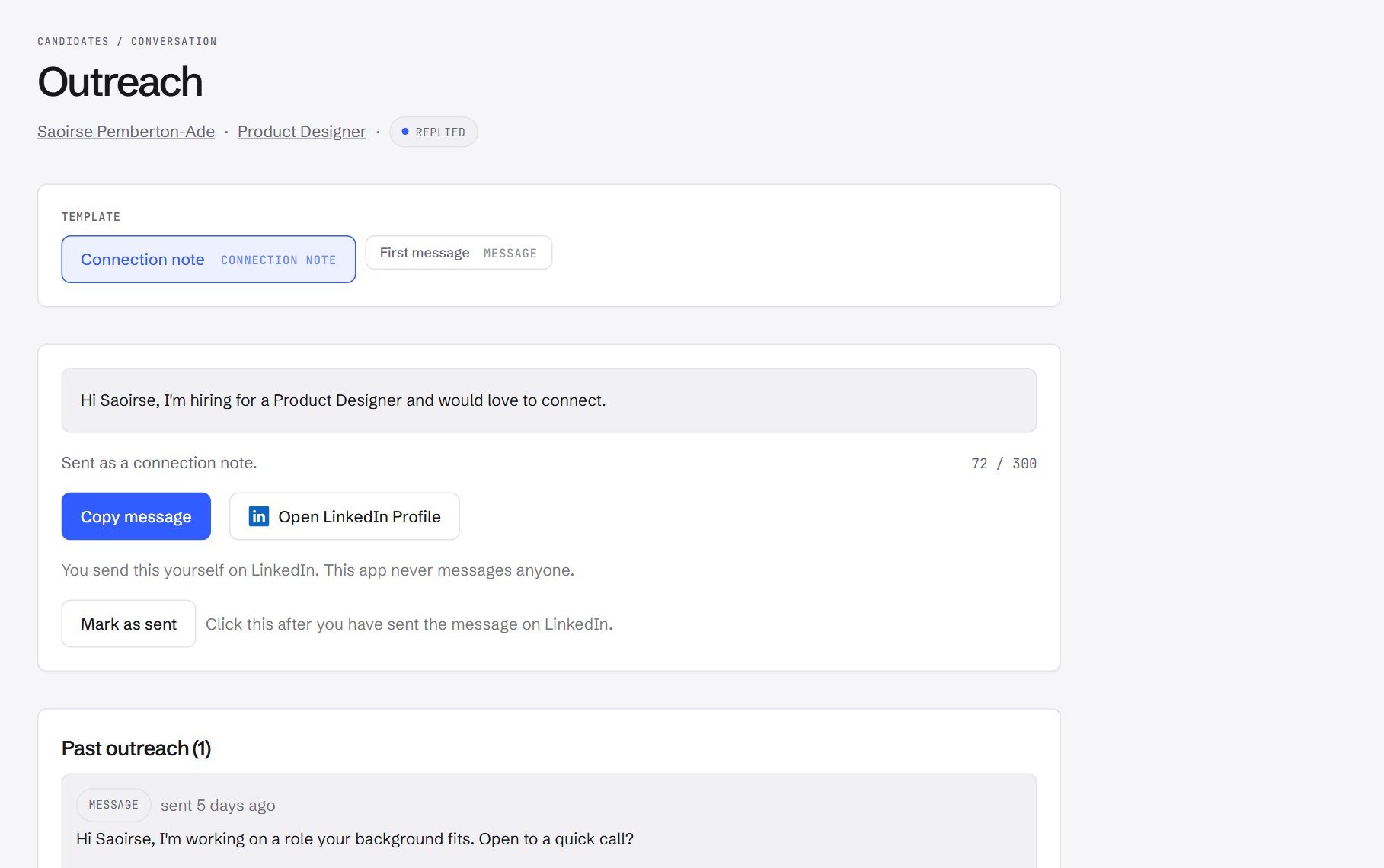
Shown with the fictional demo workspace.
The copying and tab-switching, gone
Templates that fill themselves
First name, role, your name, a booking link: the gaps fill in for each person, and a gap that cannot be filled is shown in red before you send.
Edit before you copy
Change a line for this one person on the card. What you copy is what is recorded.
Straight to their message box
When the extension saved the profile, Retrivr opens LinkedIn’s message box for that person; otherwise their profile.
Email too
With an address on record, the same click can open a draft in your own email app.
Follow-ups lined up
A follow-up run puts everyone who is due in order: replied first, then the client wants to meet, then who went quiet.
An honest pace count
Each screen shows how many messages you logged today and invitations this week, so you stay well inside LinkedIn’s limits.
Built so your LinkedIn account stays yours
No sending. Retrivr never sends a message, invitation or email for you.
No auto-advance. Nothing moves to the next person without your click, and there is no Send all.
No pasting into LinkedIn. It copies to your clipboard; you paste.
3 steps,
all of them yours.
- 1
Choose who and what
Tick people on a role, choose a template or let AI draft one from a sentence.
- 2
Copy, paste, send
One click copies the message and opens LinkedIn. You press Send there.
- 3
Mark as sent
Retrivr records it, moves the stage to contacted and shows the next person.
| Automation tools | Retrivr’s outreach queue | |
|---|---|---|
| Who sends | The tool, from your account | You |
| Personal lines | Variables only | Edit each message on the card |
| Risk to your LinkedIn account | Automation is against LinkedIn’s terms | Nothing automated on LinkedIn |
| Follow-ups | Scheduled sequences | A run of who is due, one by one |