Client links · Core
One link for the client. An answer for every candidate.
Everyone you put forward on a role appears on one page the client opens without signing in. They read the CV where you have one and answer Interview or Not for us, and the answer is in your notifications straight away.
- No client login
- Their answer, in Retrivr
- Never your notes or LinkedIn
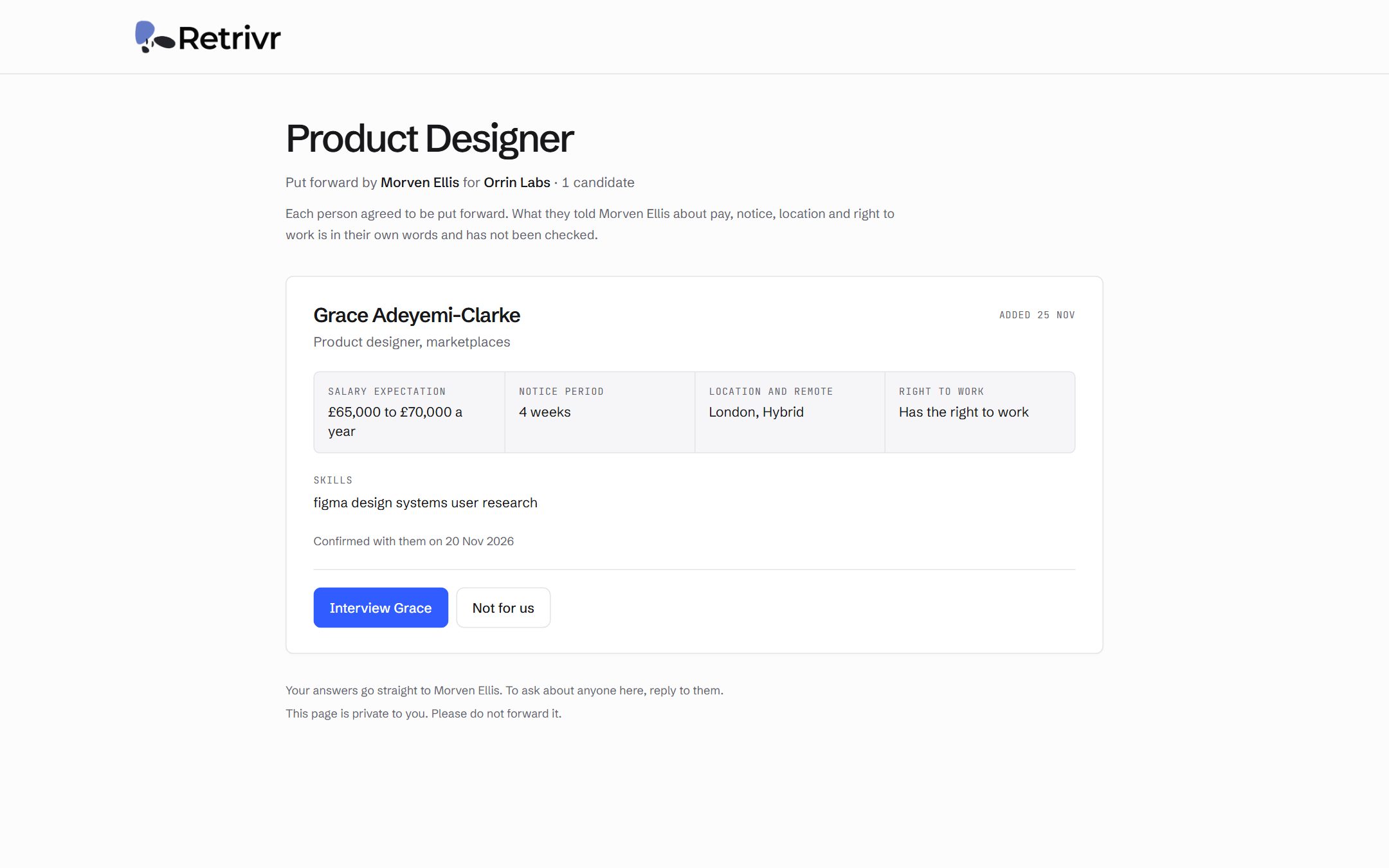
Shown with the fictional demo workspace.
Faster answers, without another email thread
One page per role
Everyone you put forward, read live: someone taken off, rejected or marked do not contact leaves at once.
The CV where you have one
Upload it once; the client reads it beside the person. Without one, they see the confirmed facts.
Answers with a reason
Interview, or Not for us with a reason chip and a short line. They can change it until an interview is booked.
Interviews on the page
Upcoming interviews show in the client’s time zone, with Can’t make this time.
Custom shortlists
Any people for one client, open 60 days and reopened when you like.
Only these people
Limit a link to named addresses; each person confirms the address it was sent to.
They cannot go around you
No LinkedIn profile. Not the address, not the member id.
No contact details. No email, no phone, and a warning before you upload a CV that still has them.
No notes or stages. Your notes, outreach and other roles stay in your workspace.
Consent first. Someone is put forward only once they agreed to be put forward to that client.
3 steps,
all of them yours.
- 1
Put forward
One click on a candidate who agreed, or tick that they did.
- 2
Send the link
Copy it, or open an email to the client in your own mailbox.
- 3
Read the answer
A red count on the bell; Arrange interview is one click from there.
| Emailing CVs | Retrivr client link | |
|---|---|---|
| Client’s answer | Somewhere in a thread, if it comes | Interview or Not for us, per person |
| Up to date | The day you sent it | Live: changes show on their next look |
| Contact details | In the CV unless removed | Never shown; checked before upload |
| Login needed | No | No |