Clients · Client BD
Every client, every contact and who to chase next
Clients lists the companies you work with or would like to: Lead, Talking, Terms signed and Has a role. Contacts, notes and emails sit on each one, and Follow-ups tells you which have gone quiet.
- Lead to Has a role
- Clients to chase
- Contacts kept apart from candidates
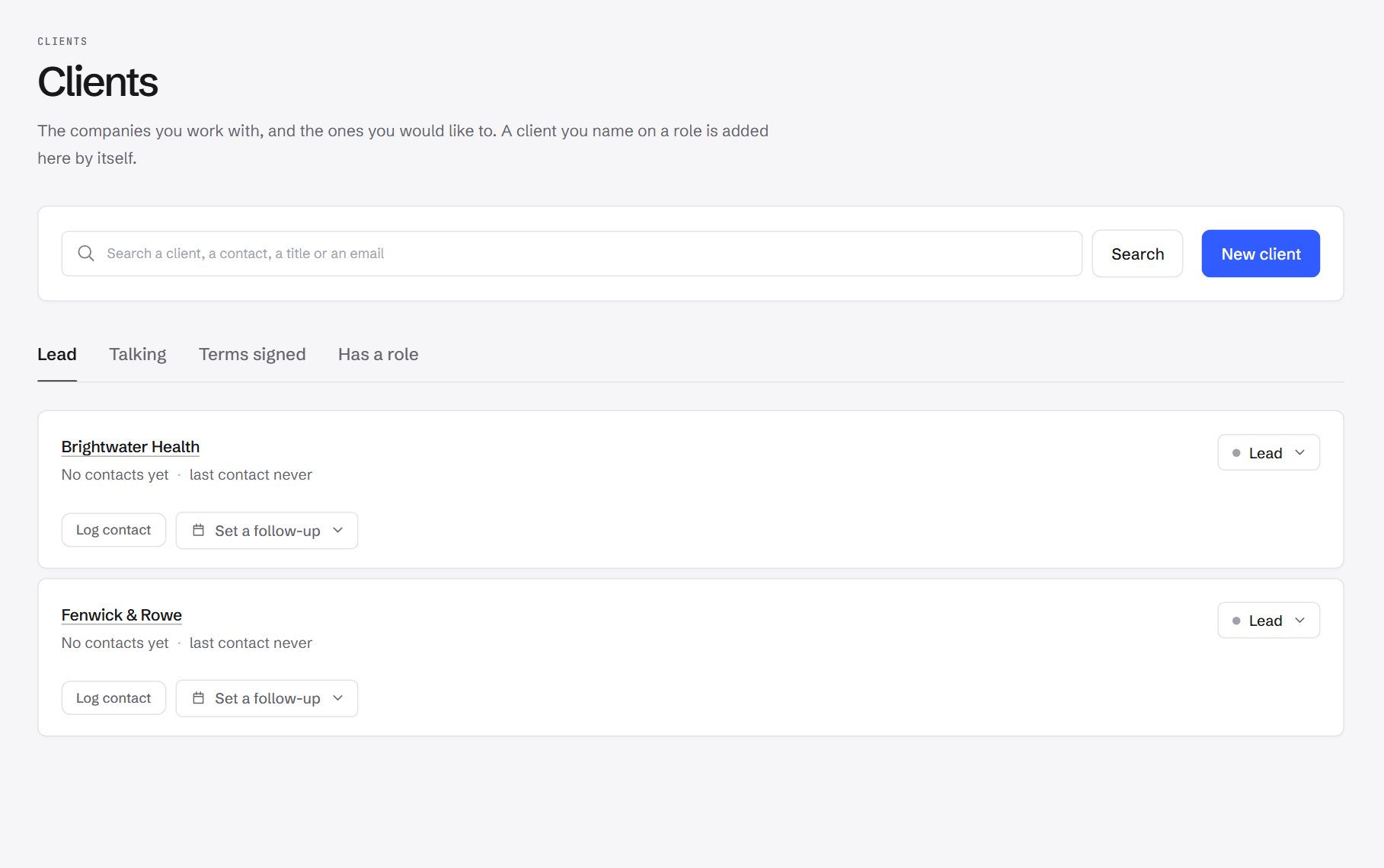
Shown with the fictional demo workspace.
Business development, kept lighter
Companies appear by themselves
Name a client on a role or shortlist and it is added; a new role raises it to Terms signed.
Contacts from LinkedIn
Save a hiring manager as a client contact from the Chrome extension, with their company read from the profile.
Log contact
A call or a coffee in one dialog: today’s date and an optional line, kept as a note.
Clients to chase
Companies with no open role and no activity for 14 days, or a follow-up date that has come, listed on Follow-ups.
Works at a client
A quiet flag when a candidate works at one of your clients, never shown to anyone else.
Emails on the record
Gmail and Outlook threads with a contact are saved to them with the extension.
3 steps,
all of them yours.
- 1
Add or name a client
New client, a role’s client field or the extension.
- 2
Keep in touch
Log contact, set a follow-up date, convert to a role when it comes.
- 3
Chase the quiet ones
Follow-ups > Clients to chase.