Screening · Screening module
From call transcript to confirmed facts, in a minute
Paste the transcript your call app saved, upload the file or type your notes. Retrivr pulls out salary, notice, location and right to work, each with the line it came from, and nothing reaches the candidate’s record until you confirm it.
- Every fact quoted
- You confirm each one
- Transcripts deleted after 30 days
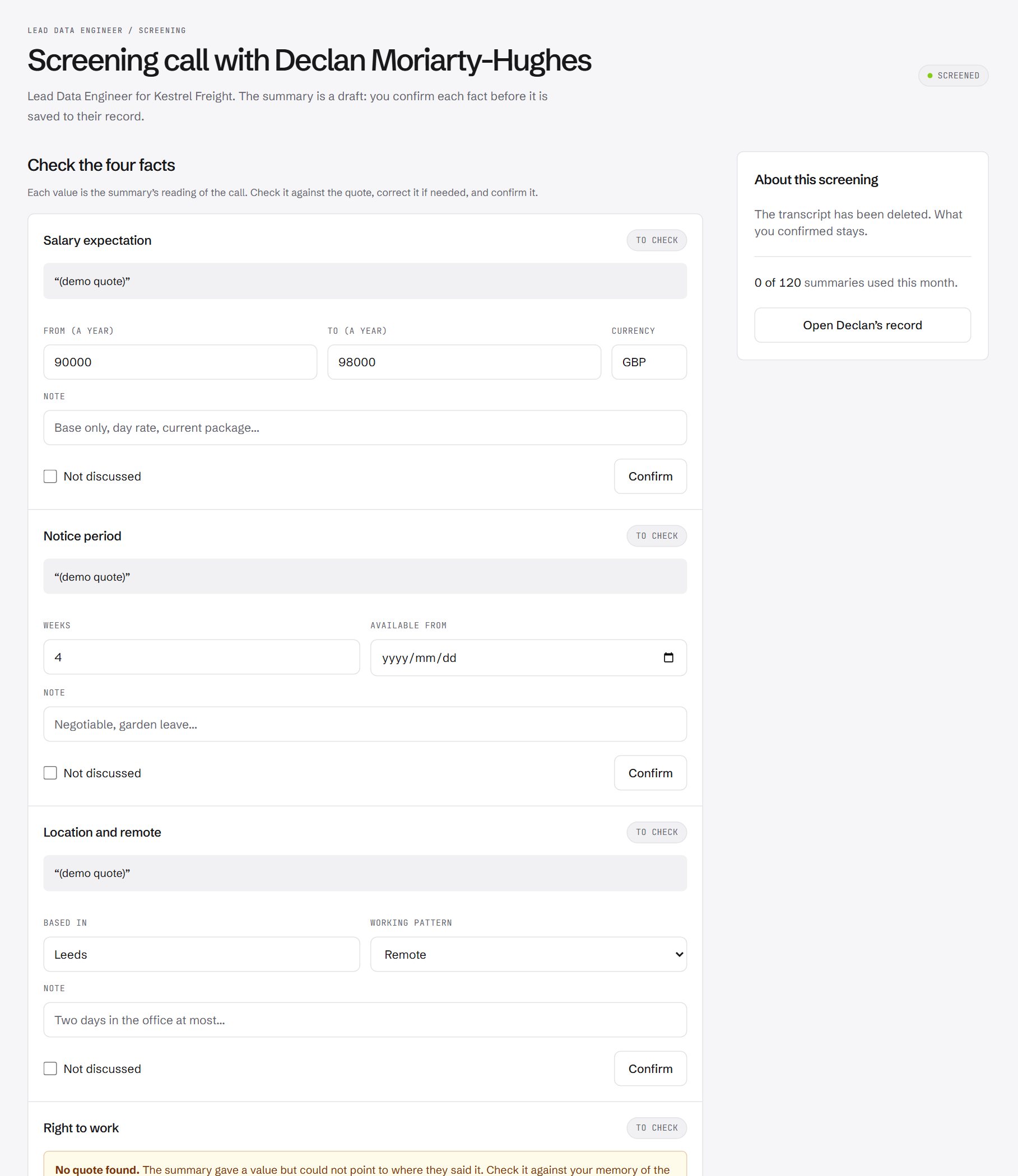
Shown with the fictional demo workspace.
The write-up you would have typed, checked line by line
Four facts, four quotes
Salary, notice, location and working pattern, and right to work. Each must come with a passage found in the transcript.
No quote, flagged
A value the AI could not point to is shown as “No quote found”, for you to check against your memory of the call.
Skills and motivation
The summary also notes skills and what they want next, which you can edit before saving.
A client email that writes itself
Once they agree to be put forward, the email to the client is built from the confirmed facts, ready for your own mailbox.
Or keep it as a note
Save the text straight to their record as a note, with no AI call at all.
3 steps,
all of them yours.
- 1
Add the call
Paste, upload a .txt or .vtt, or type notes. Attach their CV if you like.
- 2
Summarise
One click. A bar shows progress until the facts appear.
- 3
Confirm card by card
Accept, correct or mark not discussed. Saving moves the candidate to Screened.
| A general AI notetaker | Retrivr screening | |
|---|---|---|
| Output | A summary of the meeting | The four facts a recruiter needs, each quoted |
| Checking | Read it and hope | Confirm or correct every fact |
| Where it goes | A document somewhere | The candidate’s record, searchable |
| Joins your calls | Often, as a bot | Never: you bring the transcript |